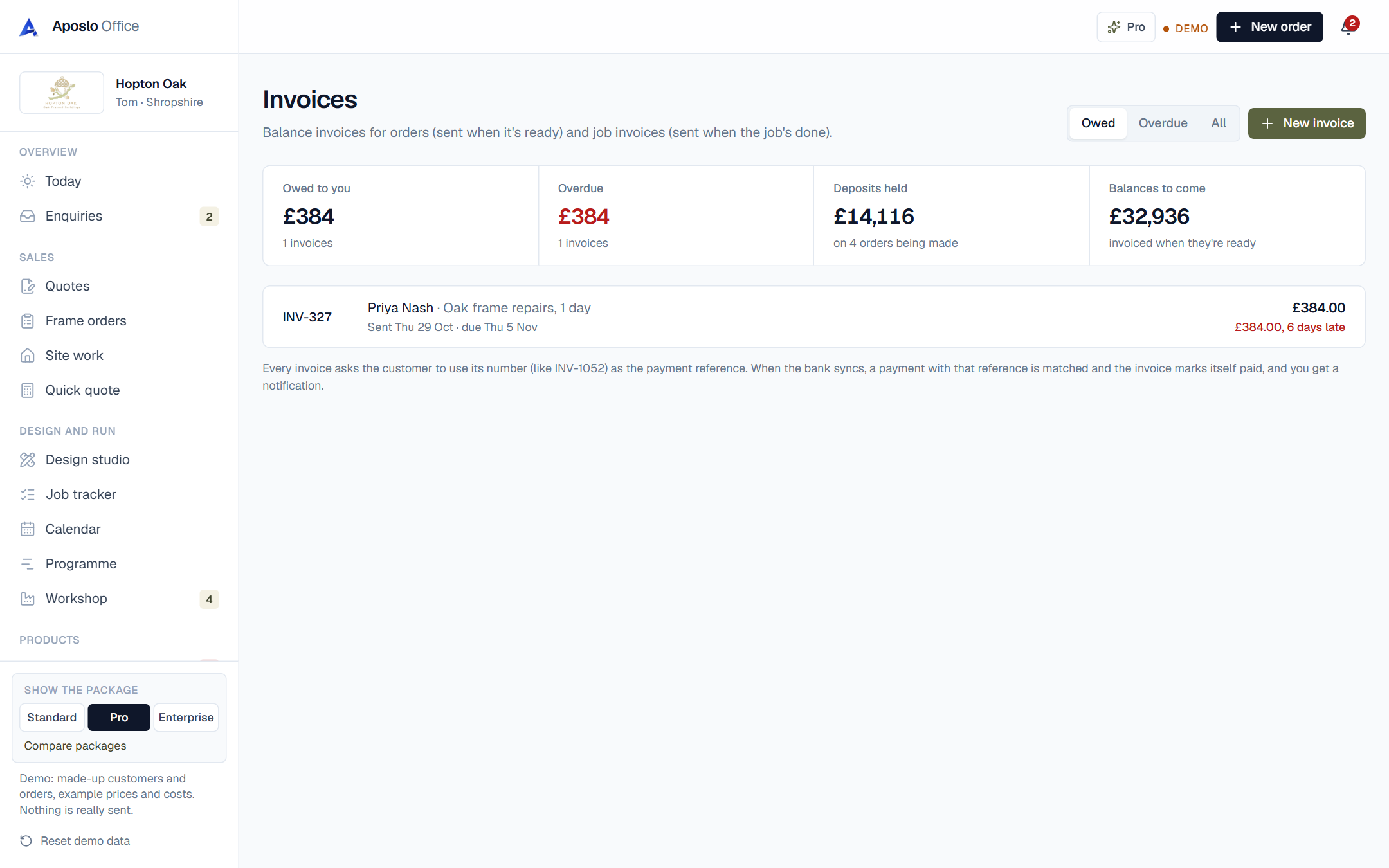
Deposits and stage payments
Set a deposit on any job (30% is common for made-to-order work) and the deposit invoice is ready the moment they say yes. Bigger jobs can be split into stages. The final invoice takes off everything already paid, so the customer only ever sees what's left to pay.
How do payments get matched?
Every invoice says 'please use INV-1052 as the reference'. When the bank feed syncs, any payment with that reference is matched to the invoice, marked paid, and you get a notification. Payments without a reference sit in a short 'to sort' list that takes seconds to clear.
Chasing what you're owed
Overdue invoices go red on your Today page with how many days late they are, and a friendly reminder is written for you. One tap sends it by email or WhatsApp. No awkward phone calls unless you want to make them.
Can I make an invoice without a quote?
Yes. Small jobs and repairs often don't need a quote. Press New invoice, pick the customer (or add a new one), add the lines and it's done. It still gets the reference, the matching and the chasing.
Which trades use invoices and payments most?
builders, electricians, plumbing and heating engineers and pubs, cafés and b&bs. See how the office fits your trade on its own page.
Questions about invoices and payments
Can customers pay by card?
Yes, once card payments are connected every quote and invoice gets a pay-by-card button, and paid invoices mark themselves paid.
Does it add VAT?
If you're VAT registered it adds VAT at 20% and shows it on every invoice. If you're not, it leaves it off.
Can I undo a mistake?
Yes. Every job has Undo last step, so marking something paid by accident is one tap to put back.