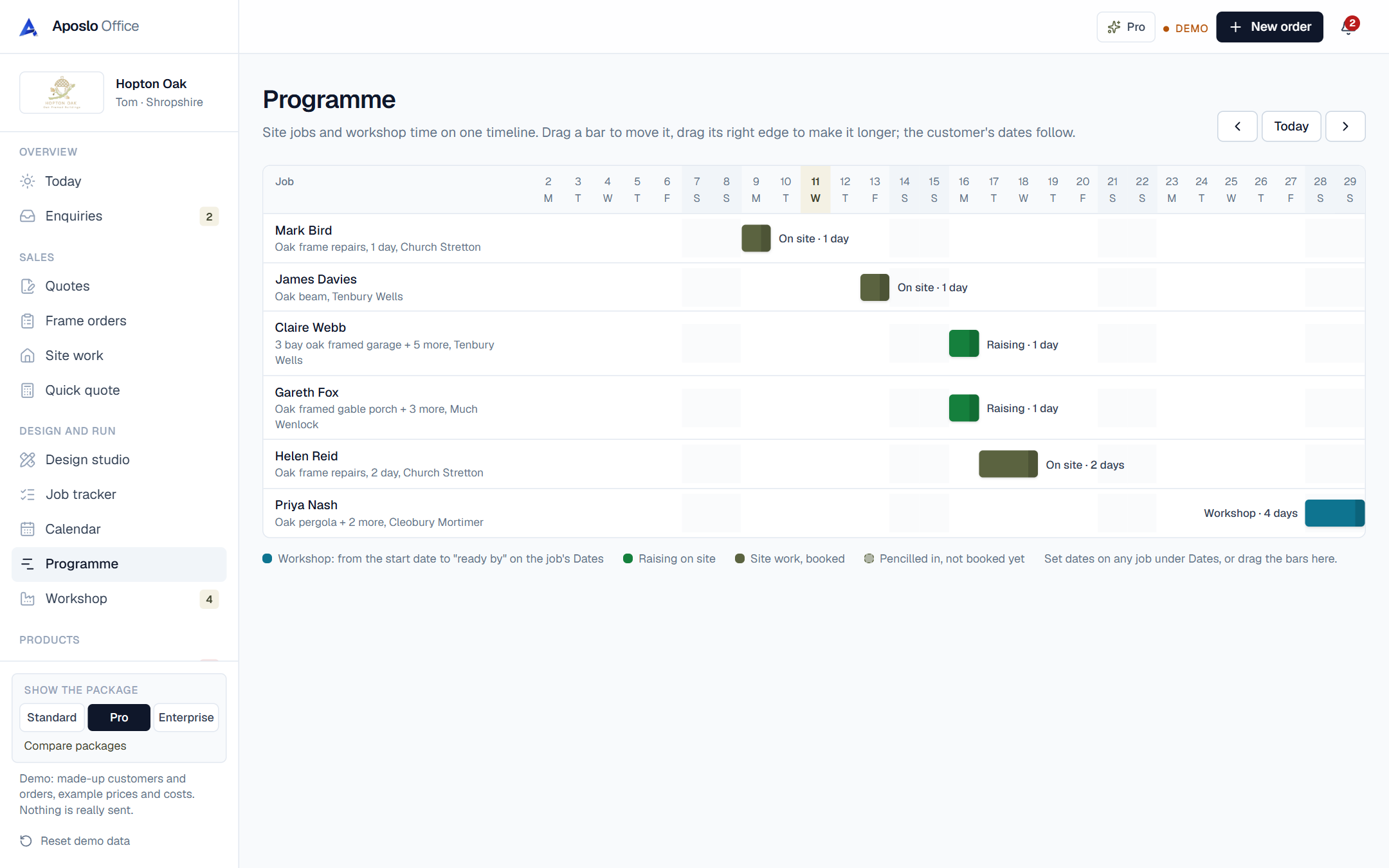
See when you're free
When a customer asks 'when can you start?', the programme answers it. Gaps and clashes are obvious at a glance, so you can give a real date instead of a guess.
Pencil jobs in
Jobs you've quoted but not booked can be pencilled in, shown dashed, so you can see how the next month would look if they all said yes.
Dates in one place
Every job has a Dates card: start, ready by, delivery or raising, days on site. Change it there or on the programme, and the calendar, the customer record and the Today page all follow.
Which trades use programme most?
oak frame builders, joiners and carpenters, roofers and landscapers. See how the office fits your trade on its own page.
Questions about programme
Can I see it on my phone?
Yes, it scrolls sideways on a phone. Dragging works best on a tablet or laptop.
Does it sync with my phone's calendar?
Once Google or Outlook calendar is connected, site days and deliveries appear there too.